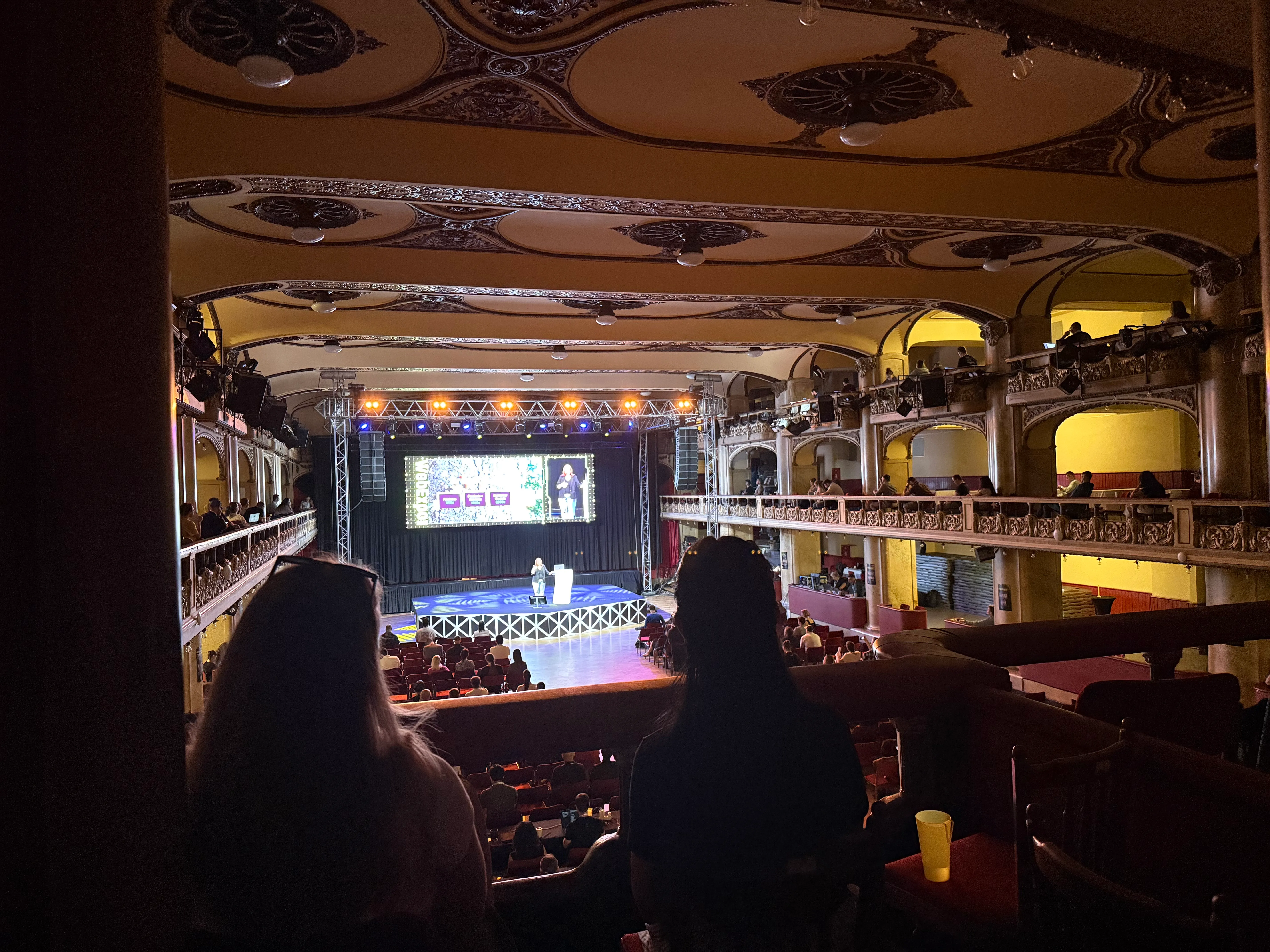
WebExpo 2026
My experience from a trip to Prague attending a web conference.
WebExpo brings developers, designers, researchers and people working in product and marketing together in Prague. It has been running since 2008, with a program that mixes technical talks, design, research and the business side of building for the web.
Was it really that good? Let’s find out!
I traveled to Prague with my amazing colleagues, making it both a fun social trip and a conference trip for educational purposes.
A quick introduction to WebExpo
The 2026 edition held its two conference days on May 27–28, followed by optional premium workshops on May 29. The organisers advertised around 1,600 attendees, with 70 talks on the conference program, covering everything from frontend and backend development to UX, accessibility, performance and AI.
Alongside the talks, there were mentoring opportunities, small interactive sessions and the Discomfort Zone discussions. The program leaves room for both learning from the stage and talking to people between sessions.
As this was my first conference trip at work, I did not know what to expect. I had some hopes WebExpo would be an interesting tech conference, but that was pretty much it. For the talks I themselves I tried to pick a variety of different topics across both web development, ai and design.
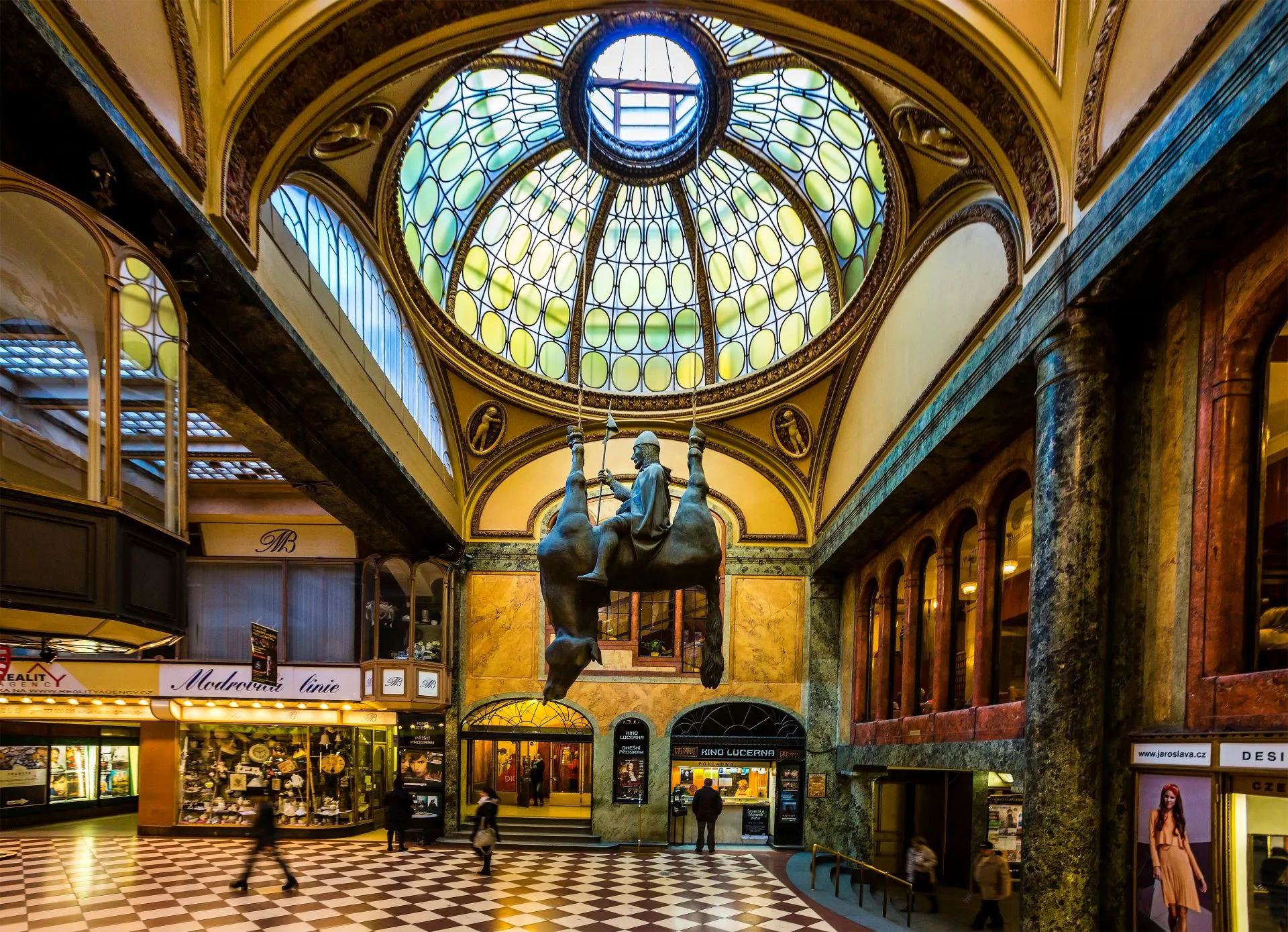
The venue: Lucerna Palace
The conference took place at Lucerna Palace in central Prague. Sessions and activities were spread across spaces including the Great Hall, the cinema and the Marble Hall, with the gallery and café providing places to meet between talks.
Speakers and talks
The 2026 speaker line-up included Switch Angel (the goat!), Mike Kus, Susan Lindner and Daniel Cuthbert to name a few. The program connected development and design with AI, security and product decisions.
Sohan Maheshwar’s talk was one I particularly enjoyed.
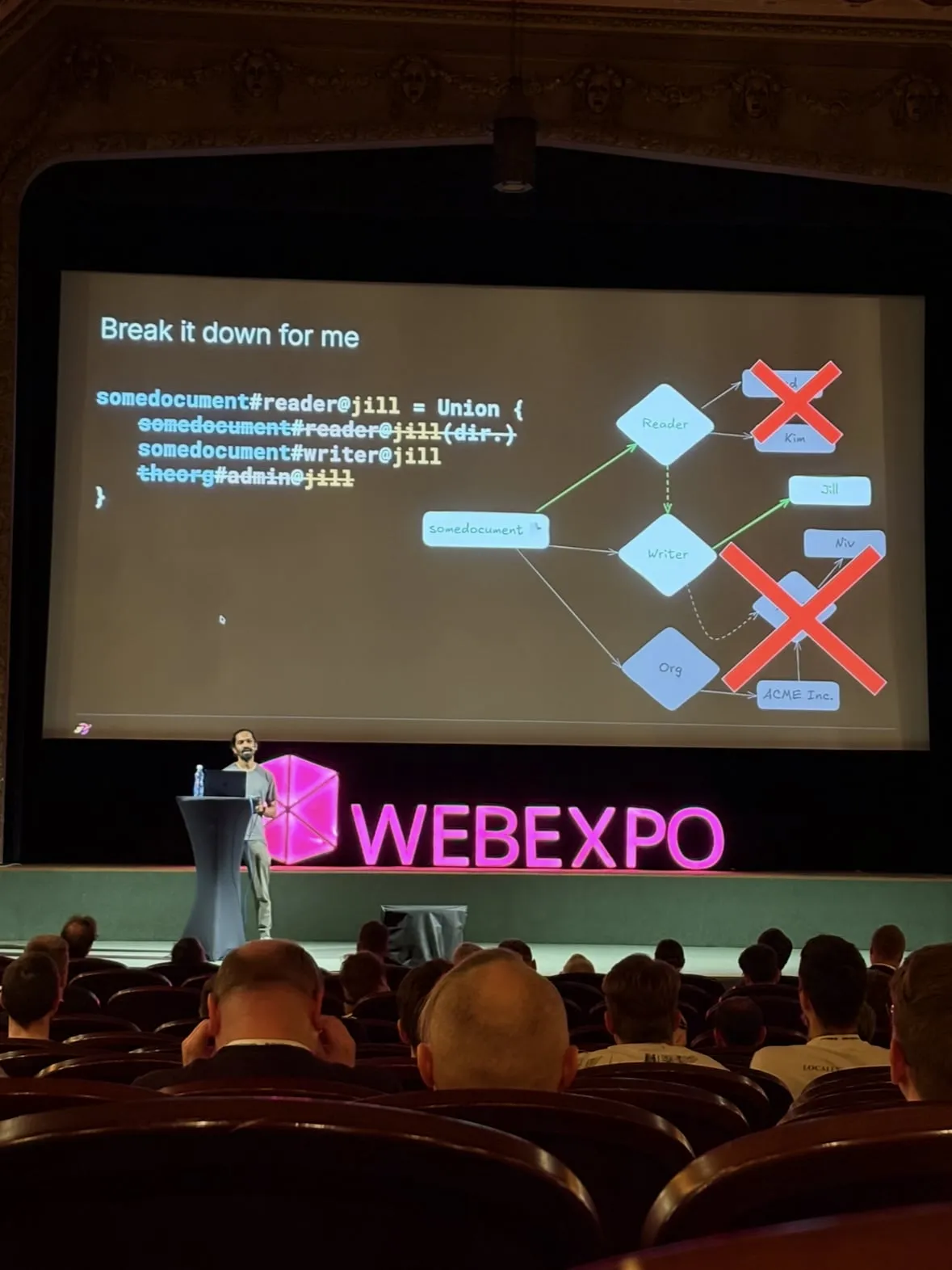
Sohan Maheshwar: Google Zanzibar and AI permissions
I really liked How to prevent AI Agents from accessing unauthorised data by Sohan Maheshwar. It covered a problem that hits close to home (at Knowit): if an AI assistant can search through sensitive company documents: which documents should it be allowed to read?
Google Zanzibar checks permissions using relationships between people and things: Fred is a reader of this document, Jill is a writer, and Niv is an administrator of the organisation that owns it.
Those relationships work together with rules. In the example from Sohan’s slides:
- Fred and Kim can read the document because they are listed as readers.
- Jill can write and read because the rules also let writers read.
- Niv gets access through ACME Inc. Niv is an administrator of the organisation, and the rules give those administrators writer access to its documents, which also allows reading.
These are rules chosen for this example. Being an administrator somewhere does not automatically grant access to every document.
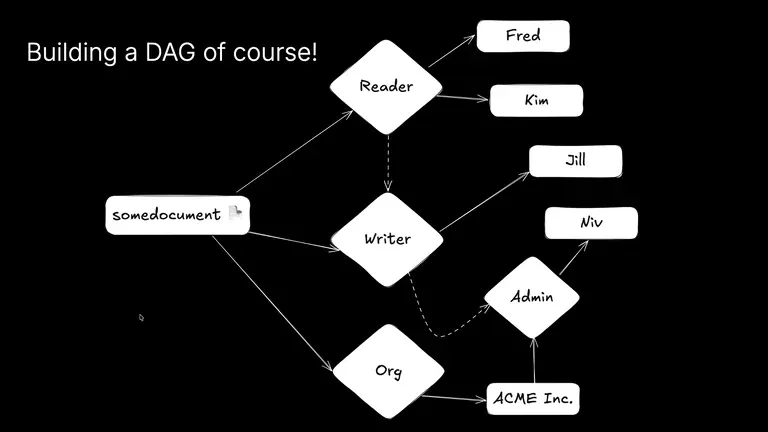
In the graph, we can trace Niv’s access along the edges through the organisation and admin nodes. The rules let Niv read the document as an administrator of ACME Inc., without needing to be listed on every document. No valid path means no access.
For the system’s original design, see Google’s Zanzibar paper.
Why this matters for software development
When an AI assistant uses RAG, finding a relevant document does not mean it has permission to use it.
The application must check permissions before sending documents to the model. If I ask for a project plan, the assistant should only receive documents that both of us are allowed to access. Private salary information should stay out unless those permissions allow it.
The application enforces these rules; the AI works with the information it is given. This reminded me of times when Claude or Codex tried to access files I had denied access to, sometimes through a different command. Permissions need to protect the file whichever command is used to reach it.
Eric Bailey: Getting started with ARIA
What I wish someone told me when I first started using ARIA focused on getting started with ARIA. It brought the focus back to whether people can understand and use the interfaces we build, including those using a keyboard or screen reader.
Start with semantic HTML
Use a <button> for an action, a link for navigation, and headings to organise the page. This is semantic HTML: the elements communicate their purpose, rather than just looking right on screen.
A real button already supports keyboard focus and activation. A clickable <div> does not provide that behaviour by default. Adding role="button" tells a screen reader to treat it as a button, but the developer still has to make it work like one. Choosing the right HTML element saves that extra work.
Where ARIA helps
Sometimes an interface needs to communicate more than the HTML element provides on its own. A few examples:
aria-labelcan give an icon-only button a name, such as “Close”.aria-expandedcan tell a screen reader whether a collapsible section is open or closed.aria-describedbycan connect a form field to instructions or an error message.
That information needs to match the interface. If a section opens, its expanded state must update too. Adding an attribute once and forgetting about it can leave a screen reader reporting something different from what is on screen.
ARIA supplements the HTML and interaction code. It does not make a menu work with a keyboard or move focus into a dialog for you. Those behaviours still need to be implemented.
What this means in practice
Accessibility belongs in everyday development. Can someone reach the controls with Tab, see where their focus is, and activate them without a mouse? Does a screen reader announce useful names and the correct state? A page can look finished while these parts still need work.
Start with native HTML, add ARIA where it supplies missing information, and test the result with a keyboard and screen reader. More attributes do not automatically mean a more accessible page.
MDN’s ARIA guide covers the attributes and examples. The W3C’s ARIA Authoring Practices explain the behaviour that needs to go with them.
Would I go again?
Probably. But maybe not to WebExpo. The conference wasn’t the best (informatively speaking), but it was a fun trip with colleagues to a nice place. Prague is a great city with rich culture, cheap dining and warm climate!